
Member Workflow
-
Member navigates to My Scheduled Payments in the Member Portal.
-
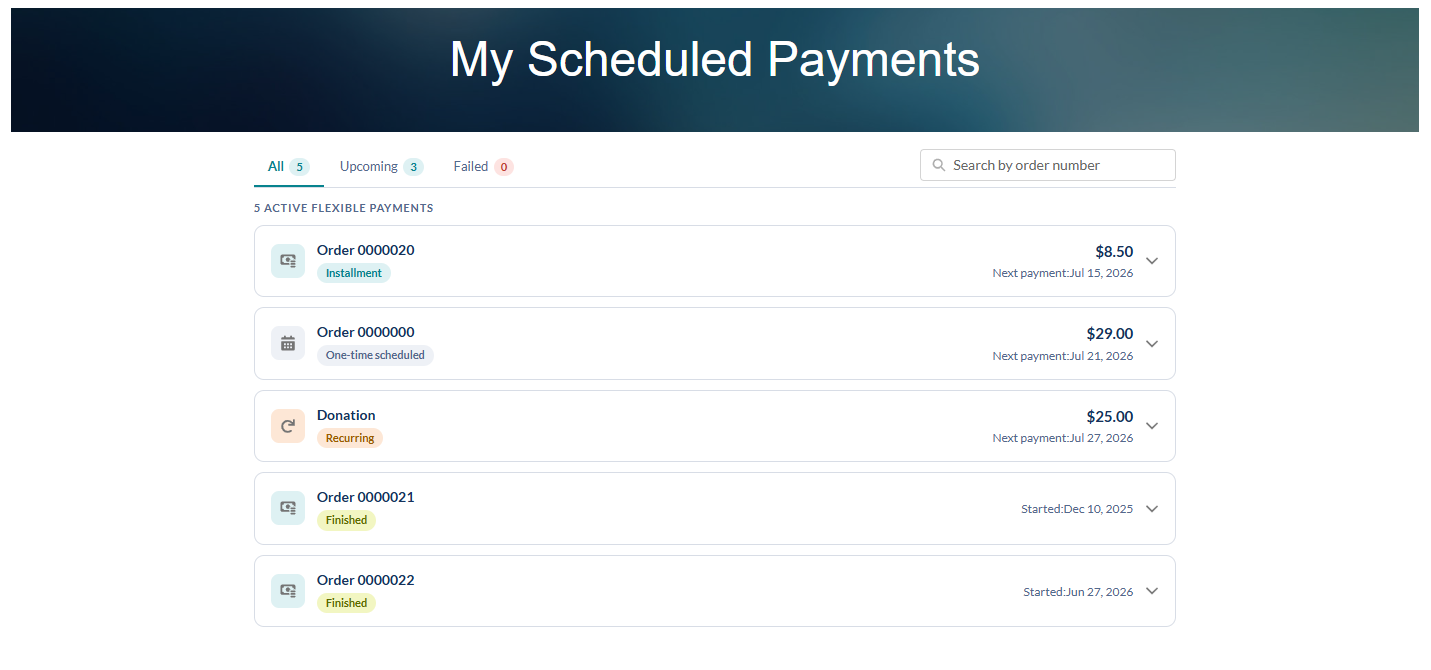
Views all flexible payments in one list - type, start date, next payment date, next amount, payment method, order link - sorted by upcoming payment date by default.
-
Filters using the tabs: All Payments / Failed / Upcoming.
-
Searches by order number, combinable with filters.
-
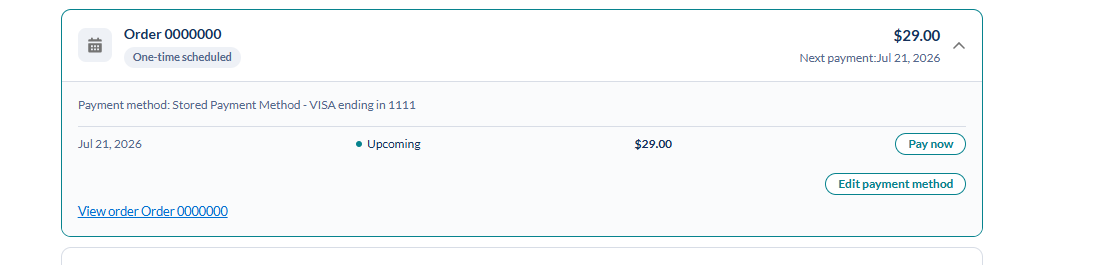
Opens the action dropdown on any row: Retry (failed only), Prepay, Pay Off, Edit Payment Method.
-
Retry (failed payments): confirm → processing state → inline result: success updates status, failure shows a specific, correctable error.
-
Prepay an upcoming payment: confirm → process → inline result; only that payment is affected, other due dates don’t shift.
-
Pay Off the remaining balance: confirm → async processing with progress indicator → inline success/failure. On success: schedule and remaining lines marked complete, new Order + History + Payment created.
-
Edit Payment Method: choose from already-saved methods or create a new one as needed; this payment method will be applied to all future charges on that schedule.
-
The order link on each row navigates the member to the order confirmation page.
-
Member receives a confirmation email after every successful transaction (nightly charge, retry, prepay, or pay-off) once the confirmation-email tag is enabled which includes the amount, order reference, date, and method used.