-
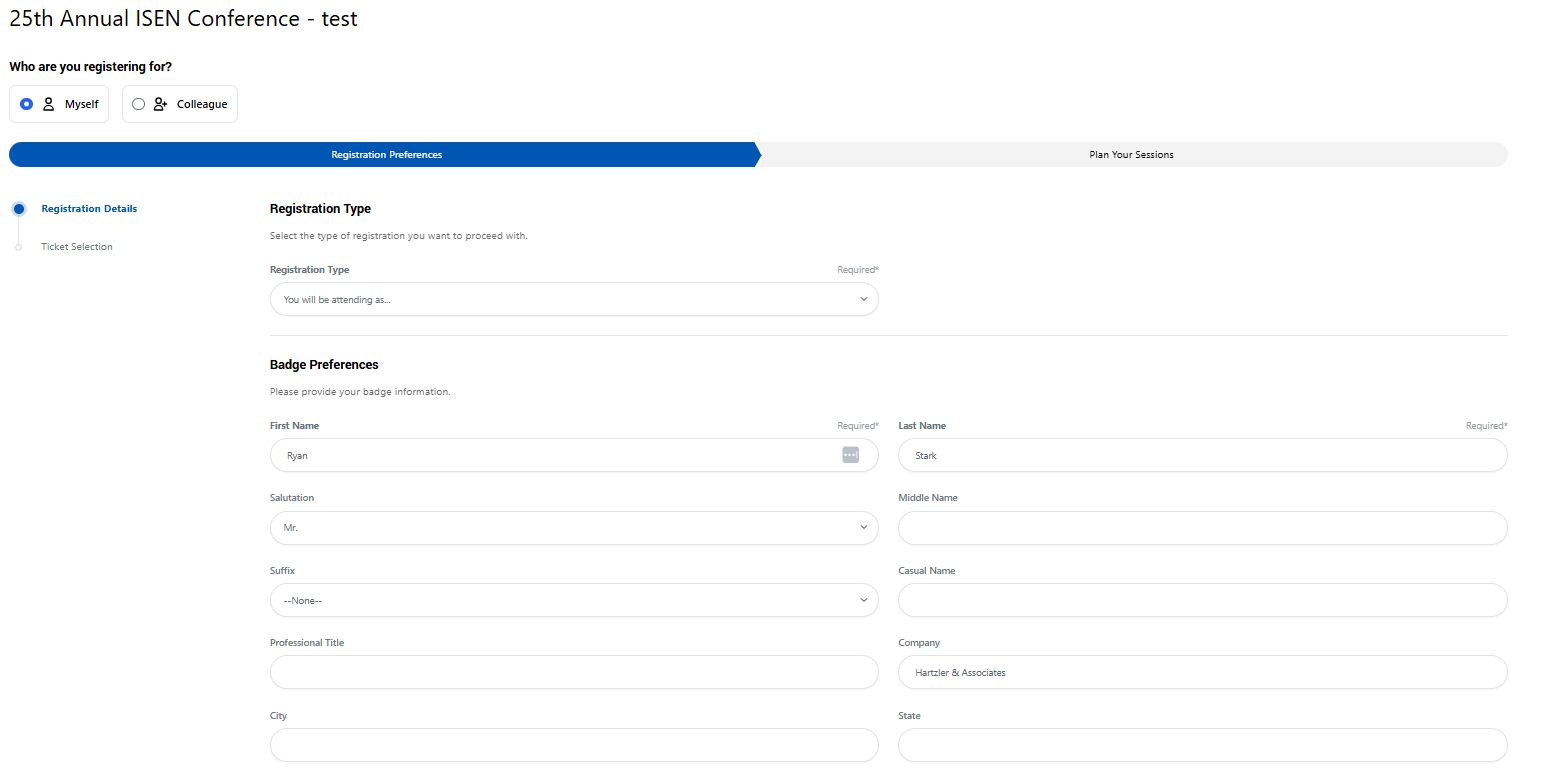
User accesses the Event Registration wizard. At this stage, they can choose to register themselves or a colleague
-
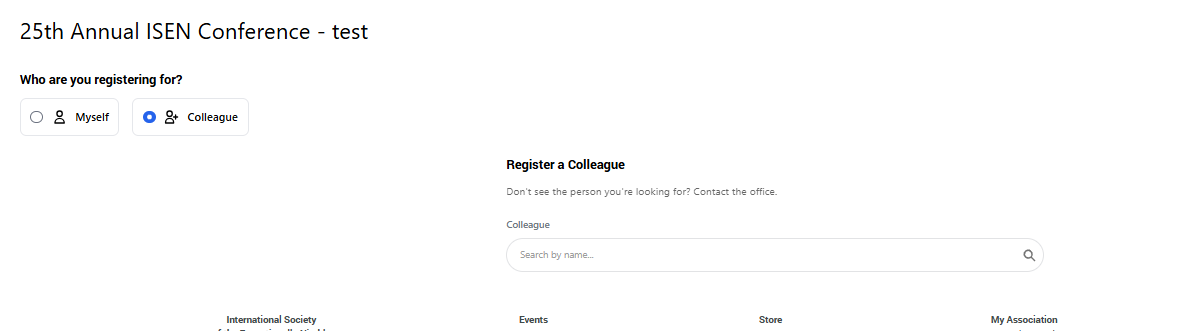
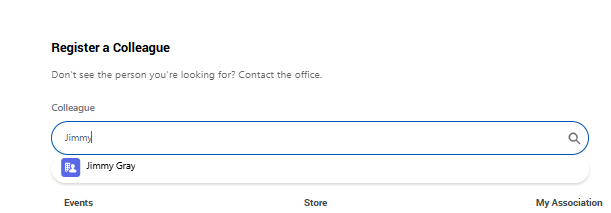
User chooses to register a Colleague. They have to search for them by name. This lookup is based on the current users Affiliation to a company to define the coworkers.
-
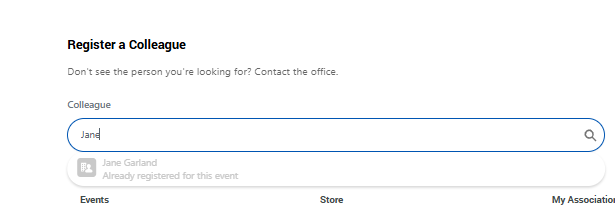
Searching by name will return results. If the result is already registered, that is indicated.
Jimmy is available to register:
-
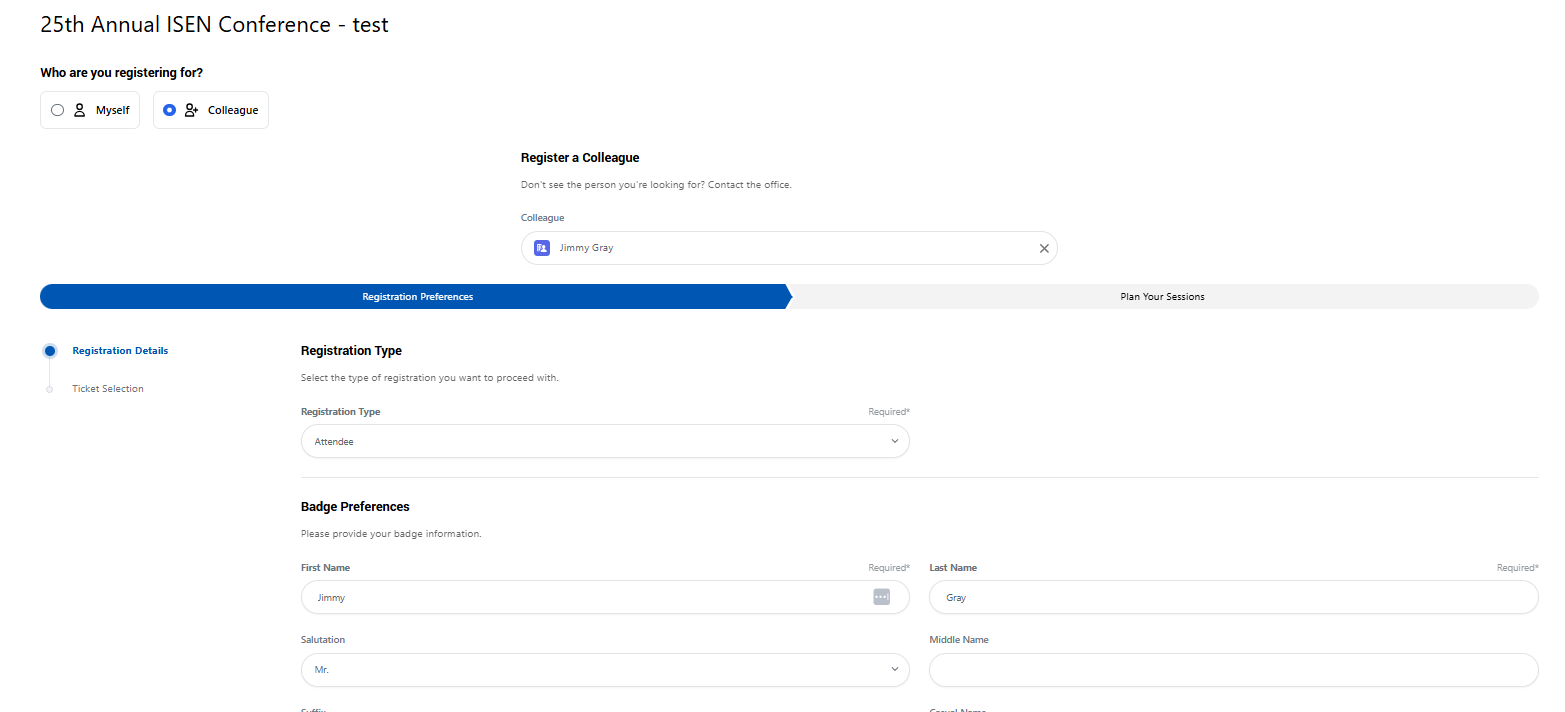
After selecting the colleague to register, the user must fill out their registration information for anything required, including:
-
Registration Type (if enabled)
-
Badge Information (pre-populated from the Account lookup)
-
Required Tickets or Sessions
-
Required Questions
-
-
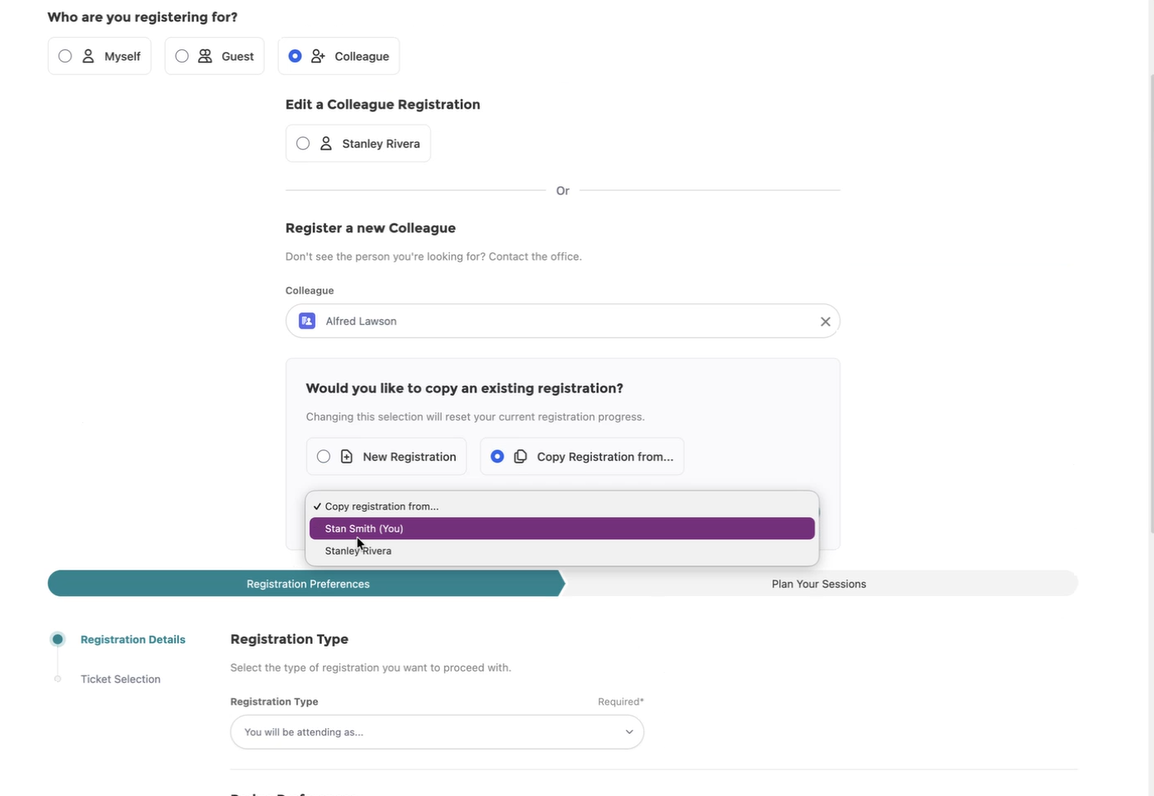
If there are other registrations on the current Cart (PF Order), then the user has the option to copy one of those registrations for the new colleague registration. This reduces/eliminates the need to go through every step of the Event Registration. This will copy tickets, sessions and question answers while allowing the current user to modify anything that should be updated
-
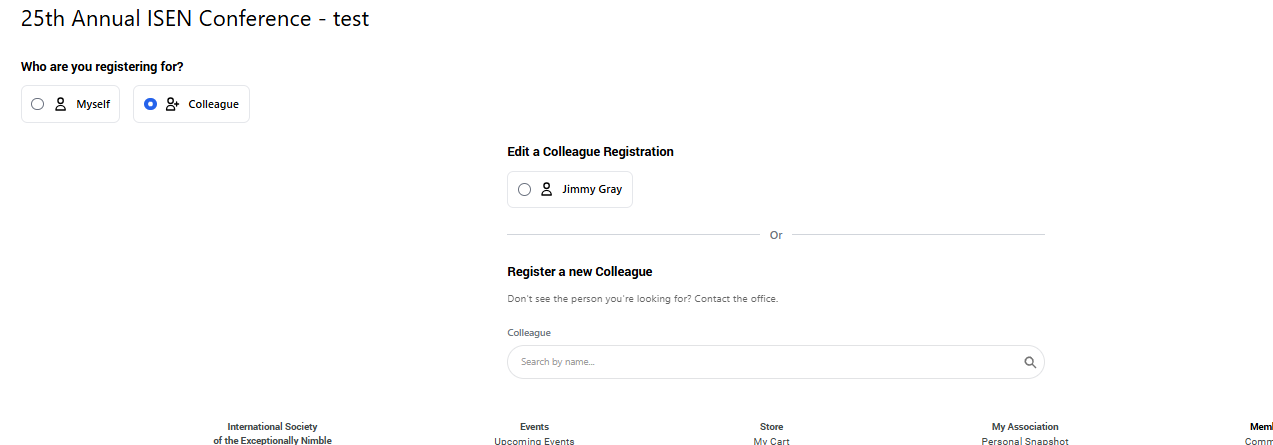
After completing the registration (and before checkout), the user can return to the first registration screen to add another co-worker or modify the previous registration
-
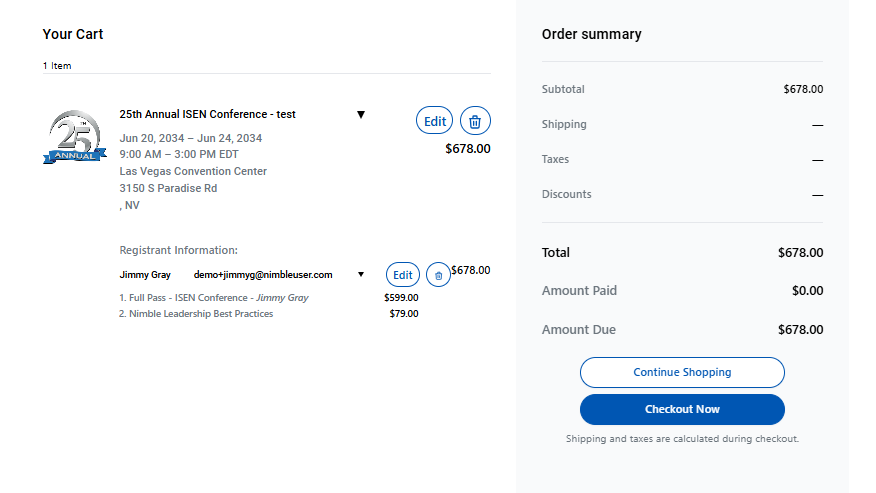
The Shopping Cart and Checkout contains the colleagues registration: